Appearance

Introduction
backupx is a comprehensive TypeScript backup library designed specifically for the Bun runtime. It provides a unified solution for backing up databases and files with modern JavaScript features, full type safety, and production-ready performance.
What is backupx
backupx is a TypeScript-first backup library that supports:
- Database Backups: SQLite, PostgreSQL, and MySQL with native Bun drivers
- File & Directory Backups: Individual files or entire directory trees
- Smart Compression: Optional gzip compression with efficiency reporting
- Retention Policies: Automatic cleanup based on count or age
- CLI & Library: Use programmatically or via command-line interface
Why Choose backupx
Built for Performance & Reliability
Unlike other backup solutions, backupx is specifically designed for Bun's high-performance JavaScript runtime. It leverages Bun's native database drivers and fast I/O operations.
TypeScript-First Design
Every API is fully typed with comprehensive type safety. You get excellent IntelliSense support and compile-time error checking.
ts
import { BackupManager, BackupType } from 'backupx'

const config: BackupConfig = {
  verbose: true,
  databases: [
    {
      type: BackupType.SQLITE,
      name: 'my-app-db',
      path: './database.sqlite',
    }
  ],
  files: [
    {
      name: 'uploads',
      path: './uploads',
      compress: true,
      exclude: ['*.tmp', 'cache/*'],
    }
  ]
}
⚡ High Performance
- Streaming compression reduces memory usage
- Async operations prevent blocking
- Native Bun drivers for maximum speed
- Minimal overhead with optimized algorithms
🎯 Production Ready
- Comprehensive error handling
- Extensive test suite (77 tests, 324 assertions)
- Automatic retry mechanisms
- Detailed logging and monitoring
Key Features
Database Support
- SQLite: Direct file-based backup with schema and data
- PostgreSQL: Connection string or object configuration
- MySQL: Full schema and data backup support
File Operations
- Individual Files: Backup specific files with metadata preservation
- Directory Trees: Recursive backup with filtering
- Compression: Optional gzip with size reporting
- Filtering: Include/exclude patterns with glob support
Management Features
- Retention Policies: Count-based and age-based cleanup
- Verbose Logging: Detailed progress and error reporting
- Configuration: Flexible TypeScript configuration files
- CLI Interface: Command-line usage with compiled binaries
Use Cases
Web Application Backups
Perfect for backing up both your database and uploaded files:
ts
const webAppBackup: BackupConfig = {
  databases: [
    { type: BackupType.SQLITE, name: 'app-db', path: './app.db' }
  ],
  files: [
    { name: 'uploads', path: './public/uploads' },
    { name: 'config', path: './config.json' }
  ],
  retention: { count: 10, maxAge: 30 }
}
Development Snapshots
Quickly backup your development environment:
ts
const devBackup: BackupConfig = {
  databases: [
    { type: BackupType.POSTGRESQL, name: 'dev-db', connection: 'postgres://...' }
  ],
  files: [
    { name: 'src', path: './src', exclude: ['node*modules/*', '*.log'] }
  ]
}
CI/CD Integration
Automate backups in your deployment pipeline:
bash
# Install globally
bun add -g backupx

# Run backup
backups start --verbose
Getting Started
Ready to start backing up your data? Check out the Installation Guide to get backupx set up in your project.
Architecture
backupx is built with a modular architecture:
- Core Engine:
BackupManagerorchestrates all operations - Database Modules: Separate modules for each database type
- File Modules: Specialized handlers for files and directories
- Compression Engine: Streaming gzip compression
- Retention Manager: Automatic cleanup and maintenance
- CLI Interface: Command-line wrapper around the core library
Each module is independently tested and can be used separately if needed.
Changelog
Please see our releases page for more information on what has changed recently.
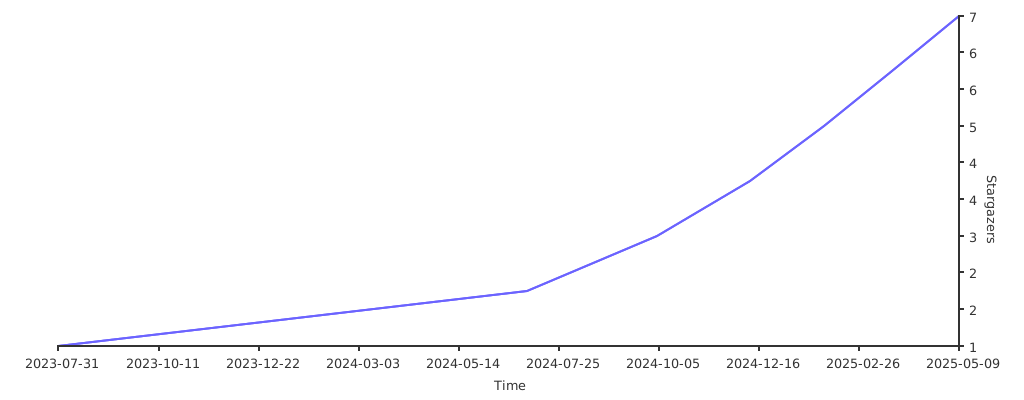
Stargazers
Contributing
Please review the Contributing Guide for details.
Community
For help, discussion about best practices, or any other conversation that would benefit from being searchable:
For casual chit-chat with others using this package:
Join the Stacks Discord Server
Postcardware
Two things are true: Stacks OSS will always stay open-source, and we do love to receive postcards from wherever Stacks is used! 🌍 *We also publish them on our website. And thank you, Spatie_
Our address: Stacks.js, 12665 Village Ln #2306, Playa Vista, CA 90094
Sponsors
We would like to extend our thanks to the following sponsors for funding Stacks development. If you are interested in becoming a sponsor, please reach out to us.
Credits
License
The MIT License (MIT). Please see LICENSE for more information.
Made with 💙